What is catch-up TV on IPTV (and how far back does it go)?
 By Yanis Moreau, IPTV & Streaming Editor Last updated
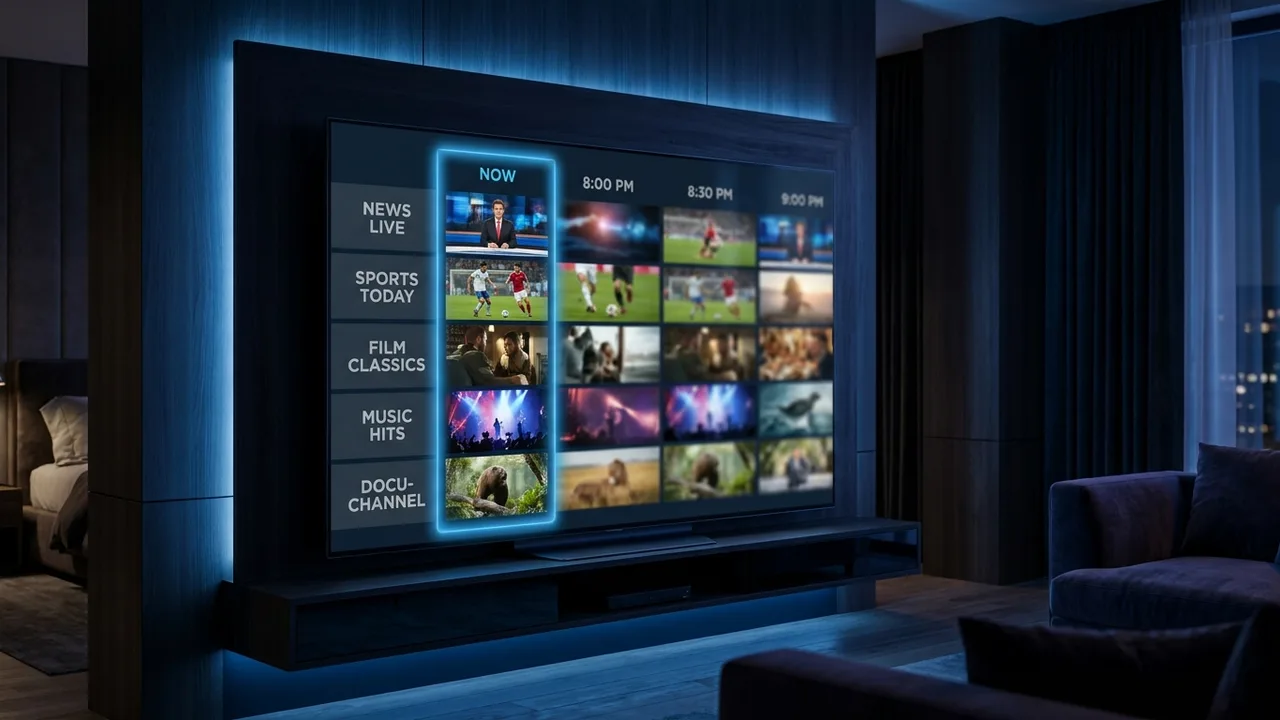
Catch-up TV lets you watch programmes that already aired by scrolling back through a channel's guide — usually 2 to 7 days into the past. Miss the match, the news or last night's episode? Open the channel, move back in the EPG and press play. Nothing to schedule, nothing to record. Here is how it works, what you need for it, and where it stops.
- Catch-up = rewatch past programmes straight from the channel guide, no setup.
- Archive window is typically 2–7 days back, rolling — the oldest programmes drop off.
- It's server-side and per-channel: works only on channels the provider has enabled.
What catch-up TV actually is
Catch-up TV (also called "replay" or "archive") is a rolling recording of a channel that the provider keeps on the server for a set number of days. Instead of you saving anything, the stream is already stored — you just reach into the past through the channel's EPG guide. Scroll the timeline back to a programme that has finished, select it, and it plays like on-demand video: pause, rewind, fast-forward and all.
The key word is rolling. A channel with a 7-day window always holds roughly the last week; each new day pushes the oldest day off the end. So catch-up is perfect for "I missed last night's game" and useless for "I want to keep this forever" — that is what recording is for (more on the difference below).
How far back does catch-up go?
The window is set per channel, so there is no single number. Some realistic patterns:
| Channel type | Typical window | Good for |
|---|---|---|
| Major sports | 3–7 days | Rewatching weekend fixtures midweek |
| Big entertainment | 2–7 days | Last night's drama or show |
| News | 1–3 days | The bulletin you slept through |
| Smaller / niche | 0–2 days | Often no catch-up at all |
Windows vary by provider and by channel, and can change over time as archives are managed. Treat the ranges above as the norm, not a guarantee.
What you need to use it
- A player that supports catch-up — the mainstream apps (TiviMate, IPTV Smarters and similar) all do. See our pick of the best IPTV apps.
- A working EPG guide — catch-up lives inside the programme guide, so a loaded, accurate EPG is what makes past programmes selectable.
- The channel to support it — catch-up is enabled per channel; if it is not on that channel, no player can add it.
- The same internet as live TV — a catch-up stream is identical in bitrate to the live channel, so ~10 Mbps for HD is plenty.
Look for the catch-up icon in the guide. In most players a past programme with catch-up shows a small "replay" or clock icon. If a finished programme has it, tap and it plays. If it is greyed out, that programme or channel is outside the archive.
Catch-up vs recording: not the same thing
People mix these up constantly, so here is the clean split:
| Catch-up TV | Recording (DVR) | |
|---|---|---|
| Where it's stored | On the provider's server | Your device or the player's cloud |
| Setup needed | None — already there | You schedule it in advance |
| How long it lasts | Rolling 2–7 days | As long as you keep it |
| Shared or personal | Shared for everyone | Your personal copy |
In short: catch-up is effortless but temporary; recording is permanent but you have to plan it. If you want to keep something past the catch-up window, that is a recording job — we cover the honest limits of that in can you record IPTV?
Catch-up doesn't cost extra and doesn't burn extra data. It streams at the same quality as the live channel, so an hour of replay uses the same amount as an hour of live TV — see our data usage numbers if you're on a capped connection.
Why catch-up is missing (and how to fix it)
- Check the channel supports it. Catch-up is per-channel. If the whole channel has no replay icons, it simply is not in the archive — nothing to fix.
- Reload your EPG. Catch-up is tied to the guide. If the EPG is stale or empty, past programmes won't be selectable — force an EPG refresh in the player settings.
- Update the player. Older app versions handle catch-up poorly. Make sure you're on a current build of a player that lists catch-up support.
- Confirm the programme is inside the window. If you're reaching back further than the channel's archive holds, it's gone. That's the rolling window doing its job, not a bug.
Frequently asked questions
How many days of catch-up TV do you get on IPTV?
Typically 2 to 7 days, depending on the channel. High-traffic channels often keep a full week of catch-up, while smaller ones may only hold a couple of days. It resets on a rolling basis, so the oldest programmes drop off as new ones are added.
Do I need to set anything up to record catch-up TV?
No — that is the point. Catch-up is stored server-side and already recorded for you. You just open the channel in the EPG guide, scroll to a past programme and press play. There is nothing to schedule and nothing to save on your device.
Why is catch-up missing on some channels?
Catch-up has to be enabled per channel, and not every channel supports it. If the option is greyed out or absent, that channel simply is not part of the catch-up archive. Sports and major entertainment channels are the most likely to have it.
Is catch-up TV the same as recording?
No. Catch-up is a shared archive the provider keeps for a few days for everyone; recording (DVR) saves a personal copy you keep as long as you like. Catch-up needs no setup but expires; a recording needs setup but is permanent.
Does catch-up TV use more internet or data?
No more than watching live. A catch-up stream is the same bitrate as the live channel, so an hour of catch-up in Full HD uses the same 2–3 GB an hour of live TV would.
Catch-up TV is the quiet convenience that makes IPTV feel modern: miss something, scroll back in the guide, watch it — no recording, no fuss — as long as it's inside the channel's rolling 2–7 day window. Make sure your EPG is loaded and your player supports it, and most of "I missed it" simply stops being a problem.